Eligibility
Are you eligible?
Three questions to find out whether you can use the Riserv assistant, and what you are missing if not. Then the screen-by-screen guide that fits you. For now, connecting your number is done on a computer, with your phone nearby.
Screen by screen
The guide, step by step.
Choose your case. On each screen, the area to click is circled in orange; the device to use is shown at the top of the step. Some screens are in French, others in English.
For now, connecting is done on a computer, with your phone nearby: the last step does not work on phones yet.
You keep your WhatsApp Business number
Your customers keep writing to the same number. You keep the app and see all the conversations there; when you reply yourself, the assistant lets you take over.
Before you start · You need a computer: for now, the last step does not work on phones. Keep your phone with the WhatsApp Business app nearby, up to date (version 2.24.17 or later) and with no payment method saved: you will do three things in it along the way. The screenshots come from a phone: on the computer, the same screens appear wider.
Important · Afterwards, open WhatsApp Business at least once every 2 weeks, otherwise WhatsApp cuts the link with the assistant.
Step 1 of 21 · On the computer
Open WhatsApp on your computer
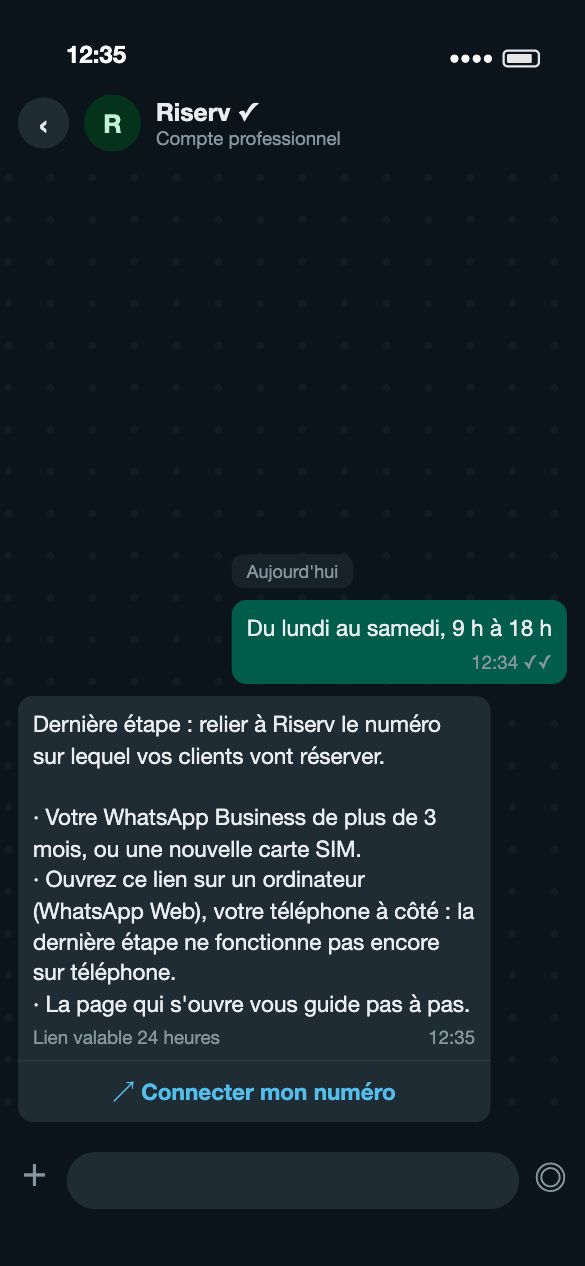
On the computer, go to web.whatsapp.com (or open the WhatsApp desktop app) and link it to your personal WhatsApp by scanning the code shown with your phone. Open the chat with the Riserv assistant, then click “Connecter mon numéro” (connect my number) under its message. The page opens in the computer's browser.
Stuck at a step, or prefer us to do it with you? One of our agents helps you remotely or comes to you, free of charge.